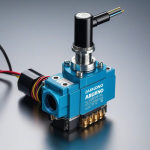
Using a solenoid valve with Arduino is a common practice in various projects, especially those related to automation, irrigation systems, and fluid control. A solenoid valve is an electromechanically controlled valve that is typically used to control the flow of liquid or gas. Here’s a basic guide on how to interface a solenoid valve with an Arduino:
Components Needed:
Arduino board (e.g., Arduino Uno)
Solenoid valve
NPN transistor (e.g., 2N3904)
Diode (e.g., 1N4001)
Resistor (e.g., 1kΩ)
Power supply for the solenoid valve (make sure it matches the valve’s specifications)
External power supply for the Arduino (if necessary)
Circuit Connection:
Connect the Solenoid Valve:
Connect one terminal of the solenoid valve to the external power supply’s positive terminal.
Connect the other terminal of the solenoid valve to the collector of the NPN transistor.
Connect the NPN Transistor:
Connect the emitter of the NPN transistor to the external power supply’s negative terminal.
Connect the base of the NPN transistor to a digital output pin on the Arduino through a resistor (e.g., 1kΩ).
Connect the Diode:
Connect the cathode (marked side) of the diode to the solenoid valve’s positive terminal.
Connect the anode of the diode to the collector of the NPN transistor.
Power Supply:
Connect the ground (GND) of the external power supply to the ground (GND) of the Arduino.
Connect the positive terminal of the external power supply to the solenoid valve.
Arduino Code:
Here’s a simple Arduino code example to control the solenoid valve:
const int solenoidPin = 2; // Use any digital pin
void setup() {

  pinMode(solenoidPin, OUTPUT);

}
void loop() {

  digitalWrite(solenoidPin, HIGH); // Turn on the solenoid valve

  delay(5000); // Keep the valve open for 5 seconds

  digitalWrite(solenoidPin, LOW); // Turn off the solenoid valve

  delay(5000); // Keep the valve closed for 5 seconds

}
Important Notes:
Power Considerations:
Ensure that the external power supply for the solenoid valve is appropriate for its specifications.
Do not power the solenoid valve directly from the Arduino pins; use an external power supply.
Diode Protection:
The diode is used to protect the circuit from voltage spikes when the solenoid valve is turned off.
Transistor Selection:
Choose an NPN transistor that can handle the current requirements of the solenoid valve.
External Power Supply for Arduino:
If the solenoid valve draws a significant amount of current, consider using a separate power supply for the Arduino to avoid overloading the board.
Always refer to the datasheets of the components you are using, and consider safety precautions when working with external power supplies and high-current devices.